
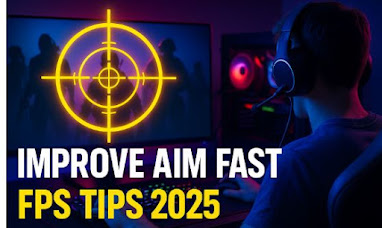
Aiming is the #1 skill every FPS gamer needs — whether you play Valorant, Call of Duty, Apex Legends, CS:GO 2, Fortnite, or Overwatch 2.
In 2025, competition has become tougher, and if you want to rank higher or win more 1v1 duels, improving your aim is essential.

In this guide, we share pro-level aim improvement tips for PC gamers that work for beginners and advanced players. Every tip is practical, tested, and works across all FPS games.
🎮 Why Good Aim Matters More in 2025
FPS games today use advanced movement systems, faster TTK (time-to-kill), and smarter opponents. Good aim helps with:
-
Winning more close-range fights
-
Landing consistent headshots
-
Improving reaction speed
-
Climbing ranks faster
-
Becoming overall more confident
Whether you’re a casual or a competitive player — good aim changes everything.
🧠 1. Choose the Right Sensitivity (Most Important)
Your mouse sensitivity directly affects your aim.
Professionals in 2025 use:
✔ Low to Medium Sensitivity
DPI: 400–800 DPI
In-Game Sensitivity: Low to medium (0.3 – 1.0 depending on game)
Why?
-
Better micro-control
-
More stable crosshair
-
Easier head tracking
👉 Tip:
Use the 360-Degree Test
Move your mouse from left to right across your pad.
A full swipe = one 360° turn.
If it’s too fast → sensitivity too high.
Too slow → increase slightly.
🎯 2. Use an Aim Trainer (Fastest Way to Improve)
In 2025, aim trainers are essential tools, even for pros.
Best Aim Trainers (USA 2025):
-
Kovaak’s FPS Trainer
-
Aim Lab (Free)
-
Raimy (New 2025 trainer)
Practice 10–15 minutes daily with exercises like:
-
Flick shots
-
Tracking
-
Target-switching
-
Micro-corrections
🔥 Pro Tip:
Don’t overtrain — 15 minutes daily beats 2 hours once a week.
🖱️ 3. Use a Proper Gaming Mouse & Mousepad
You don’t need expensive gear — but you do need reliable gear.
Recommended Mouse Specs:
-
DPI sensor: 6,000 DPI or higher
-
Weight: 60–90g (lightweight preferred)
-
Polling rate: 1000 Hz
Recommended Mousepads:
-
Large size for low sensitivity
-
Smooth surface for consistent tracking
Using poor hardware can hold back your aim more than you think.
👀 4. Fix Your Crosshair for Better Accuracy
The crosshair is your aiming guide, and poor settings lead to poor aim.
Best Crosshair Settings:
-
Color: Bright (cyan, green, or white)
-
Shape: Minimalist
-
No movement blur
-
Turn off dynamic movement
🎯 Tip:
Use the same crosshair across all FPS games for consistency.
🧊 5. Reduce Recoil & Spray Patterns
FPS games like Valorant, CS2, and COD have recoil patterns.
Learn to pull your mouse down slightly to counter recoil.
How to Practice:
-
Pick a wall
-
Spray full magazine
-
Observe recoil pattern
-
Repeat until you can keep shots centered
-
Practice bursting instead of full-auto
Burst firing = better accuracy.
💡 6. Warm Up Before Playing Ranked
Just like athletes warm up, gamers need it too.
5-Minute Warmup Routine:
-
1 min tracking
-
1 min target switch
-
1 min flick shots
-
2 min recoil control
This increases:
-
Muscle memory
-
Reaction time
-
Confidence
🛡️ 7. Improve Your Movement (Aim + Movement = Win)
Better movement = better aim stability.
Key Tips:
-
Don’t run while firing
-
Crouch only during burst fire
-
Avoid jumping while shooting
-
Use cover intelligently
-
Pre-aim corners before peeking
Moving smart reduces incoming damage and improves crosshair alignment.
🧏 8. Optimize Game Settings for Higher FPS
Higher FPS = smoother aim
Lower FPS = stuttering, delayed shots
Best Settings for Aim Improvement:
-
Lower shadows
-
Medium textures
-
Low effects
-
Turn off motion blur
-
Turn off V-sync
-
Turn on NVIDIA Reflex or AMD Anti-Lag
Aim improves instantly when your game is stable.
🔊 9. Use Sound to Your Advantage
FPS games rely heavily on audio.
What to Listen For:
-
Footsteps
-
Reload sounds
-
Jumping
-
Doors opening
-
Ability sounds
Knowing enemy movement helps you pre-aim correctly.
🧍♂️ 10. Perfect Your Positioning & Crosshair Placement
You must aim where enemies will appear, not at the floor or sky.
Do This:
-
Keep crosshair at head height
-
Pre-aim at common angles
-
Don’t hold wide angles
-
Move your crosshair before moving your body
This results in:
-
Faster kills
-
More headshots
-
Less missed shots
📅 11. Practice Consistency (10 Minutes a Day)
Aim improvement is muscle memory, not luck.
Aim at consistency, not perfection.
Train Daily:
-
10–15 minutes aim trainer
-
2–3 ranked or casual matches
-
Review mistakes
Small improvements daily = massive improvement over months.
💬 FAQ – Aim Improvement (2025 Edition)
Q1. How long does it take to improve aim?
👉 Most players improve noticeably within 7–14 days with daily practice.
Q2. Do I need an expensive gaming mouse?
👉 No. A good $30–$50 mouse with a reliable sensor is enough.
Q3. What’s the best DPI for FPS games?
👉 400–800 DPI is the universal pro standard.
Q4. Should I use wrist aim or arm aim?
👉 Arm aim = better control on low sensitivity
👉 Wrist aim = faster flicks
Use a mix of both.
Q5. How to get better accuracy quickly?
👉 Improve crosshair placement + play aim trainer daily + lower sensitivity.
🏁 Final Thoughts
Good aim is not magic — it’s technique, consistency, and smart practice.
If you follow the tips above, you’ll:
✔ Hit more headshots
✔ Win more 1v1 duels
✔ Rank up faster
✔ Build confidence in every FPS game
By 2025, aim improvement has become easier than ever — you just need proper guidance and the right routine.
Start practicing today, and your gameplay will transform within weeks!




Leave a Reply